PokeBedrock Addon
A Minecraft Bedrock Pokemon Addon that brings the world of Pokemon into Minecraft. Play with over 400 Pokemon and experience a full survival adventure with catching, training, battling, and trading.
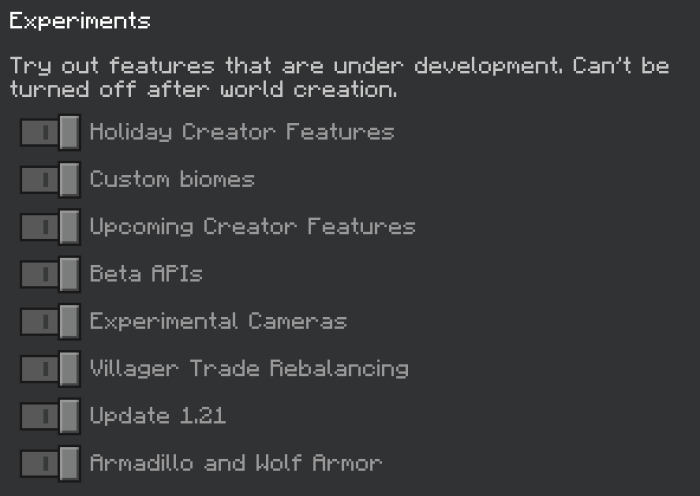
Compatible with Minecraft Bedrock Edition. Requires experimental features enabled.
400+ Pokemon
All starters from Gen 1 through 9, with full evolution chains.
Battle System
Turn-based combat with moves, types, and stats from the original games.
Multiplayer
Battle friends, trade Pokemon, and compete in trainer battles.
Full Survival
Catch, train, and evolve Pokemon while surviving in Minecraft.
Getting Started
When you first load into a world with PokeBedrock installed, you will be prompted with a starter selection screen. This is where you choose your first Pokemon companion.
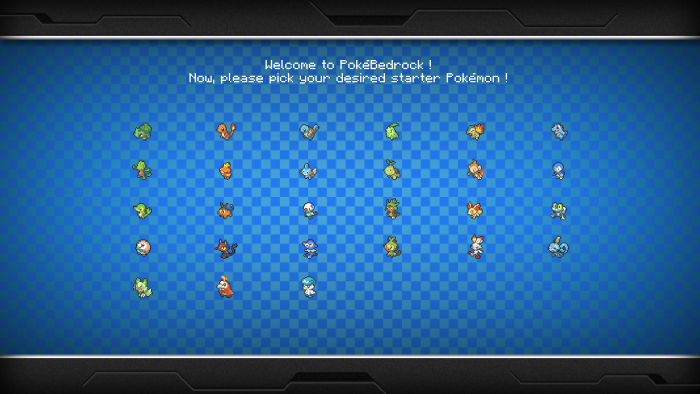
If you are not prompted with this screen, try leaving and rejoining the world. For additional help, join our Discord server.
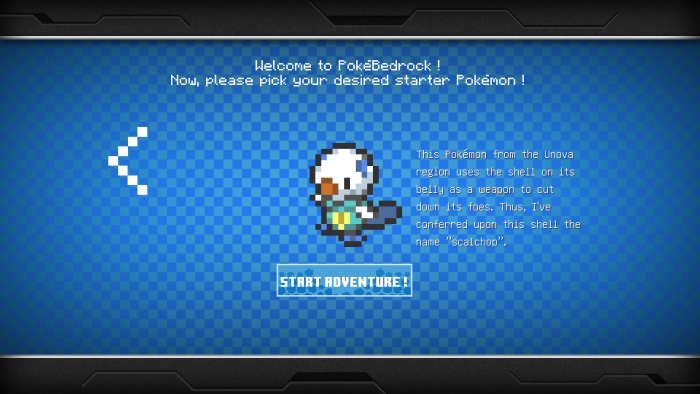
Your starting Pokemon choice will affect how well you battle against certain Pokemon in your area early on. However, you will eventually be able to catch every Pokemon in the addon.
Starting Your Adventure
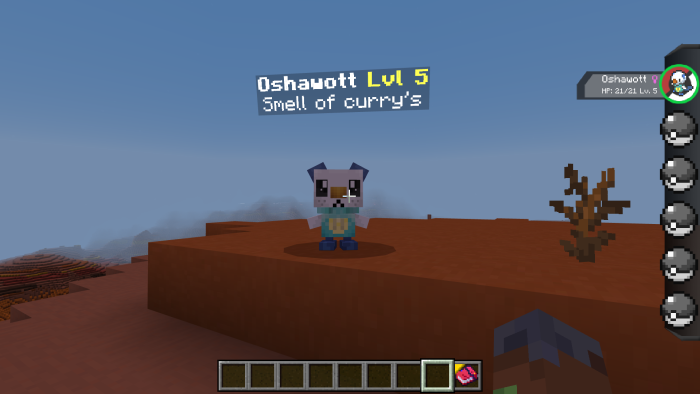
After spawning, you will notice two new things: an item in your 9th inventory slot and a sidebar display. The item in slot 9 is your GUI controller, which is how you interact with your Pokemon.
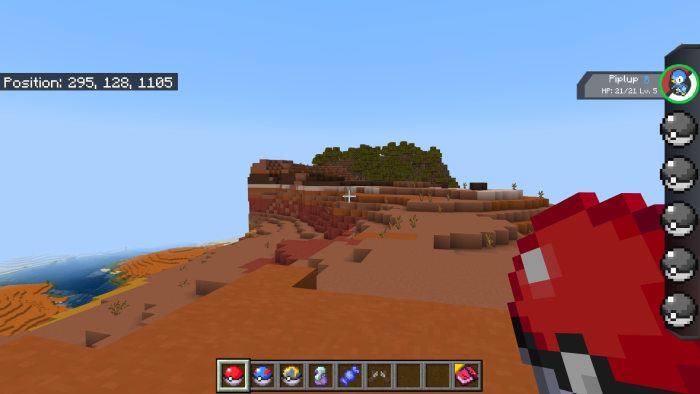
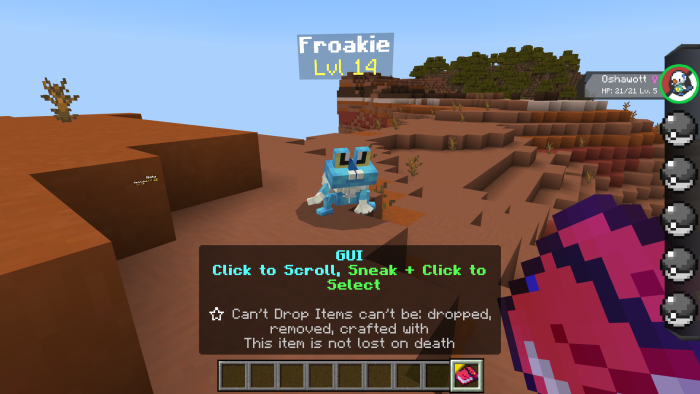
To access the Pokemon menu, scroll to your 9th slot and right-click. You can also crouch and right-click to open an expanded menu with more options.
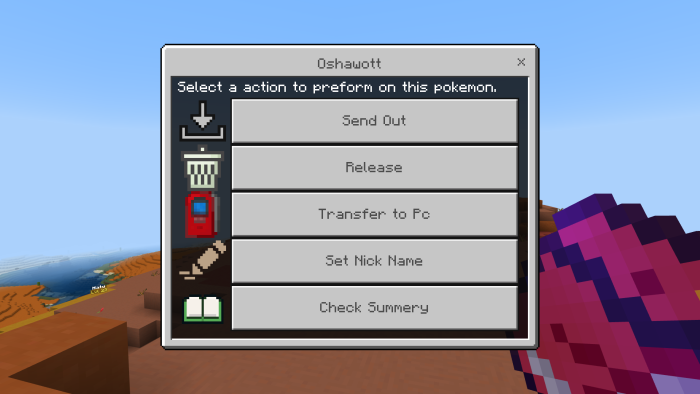
From this menu, you can send out your Pokemon, check their stats, change their nickname, and more. When you send out a Pokemon, it will spawn in front of you and follow you around.
Defeating Your First Foe
When you find a wild Pokemon you want to catch or battle, you need to initiate combat. To start a battle, hit the wild Pokemon with your GUI item (not your hand).
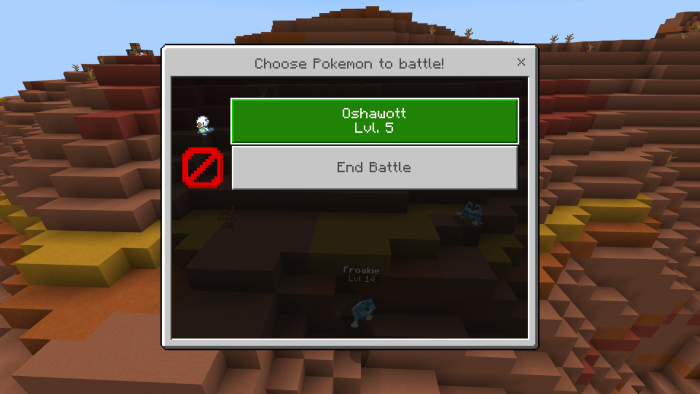
You will be prompted to select which Pokemon from your party to use in battle. Choose wisely based on type advantages.
Once in battle, you can select moves to attack, use items from your bag, or throw a Pokeball to attempt a catch. Lowering a Pokemon's health increases your catch rate significantly.
Ores & Evolution
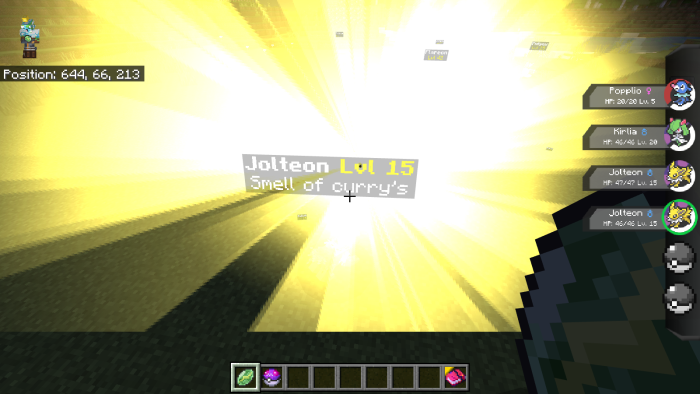
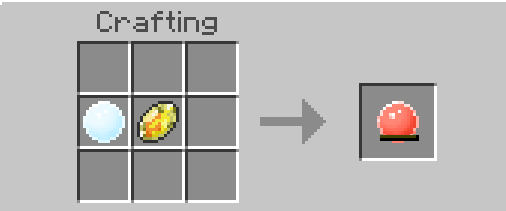
PokeBedrock adds custom ores that spawn throughout the world in caves, mines, and even rivers. These ores are essential for crafting evolution stones.
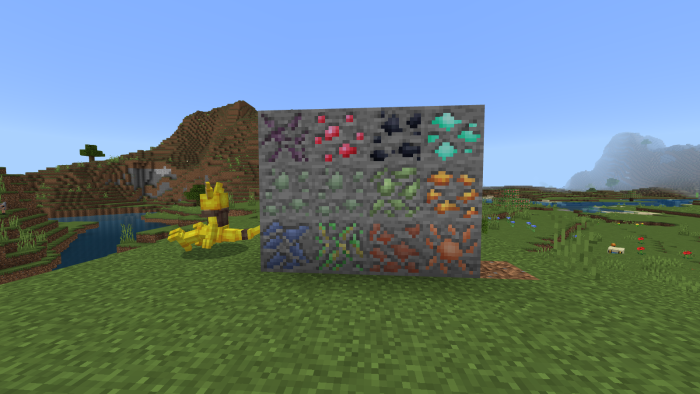
Mine these ores and use them to craft evolution stones at a crafting table. Each ore type corresponds to a different evolution stone.

To evolve a Pokemon, use the appropriate stone on it through the Pokemon menu. Some Pokemon only evolve with specific stones.

Catching Pokemon
To catch Pokemon, you need Pokeballs. Look around the world for Apricorn Trees, which look similar to oak trees but drop Apricorns when you break their leaves.
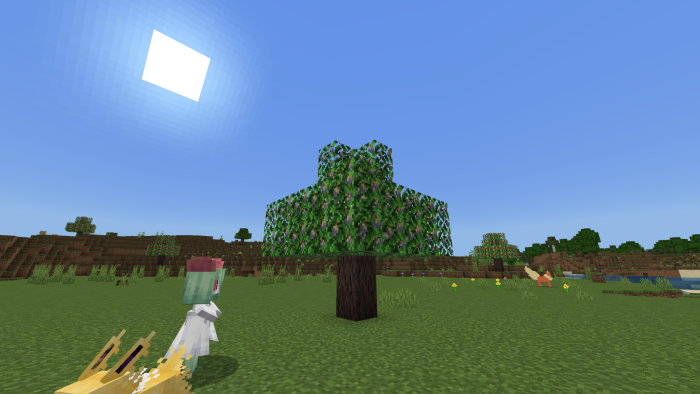
Break the leaves to collect Apricorns of various colors. Different colored Apricorns create different types of Pokeballs.
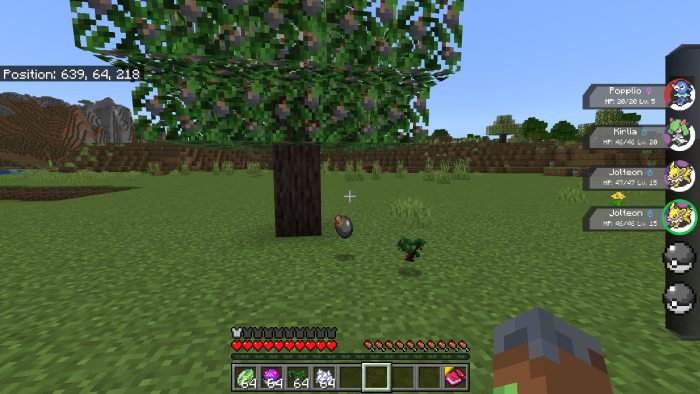
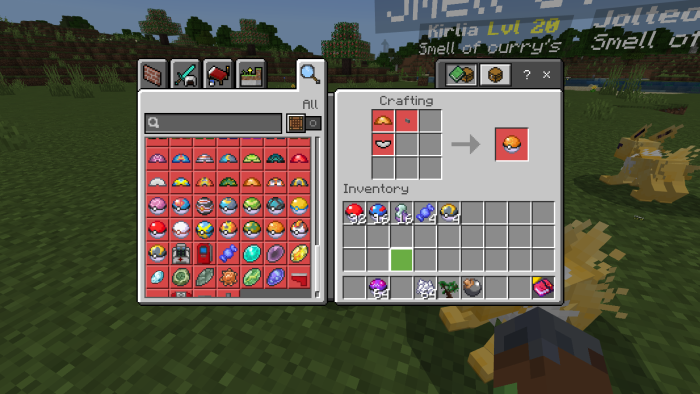
Use the Apricorns to craft ball lids at a crafting table, then combine them with other materials to create various types of Pokeballs.
Healing Your Pokemon
After battles, your Pokemon may be hurt or even fainted. To heal them quickly, find a PokeCenter structure in the world.
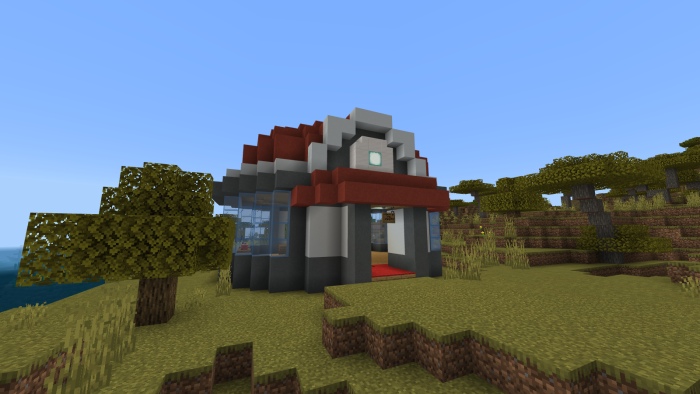
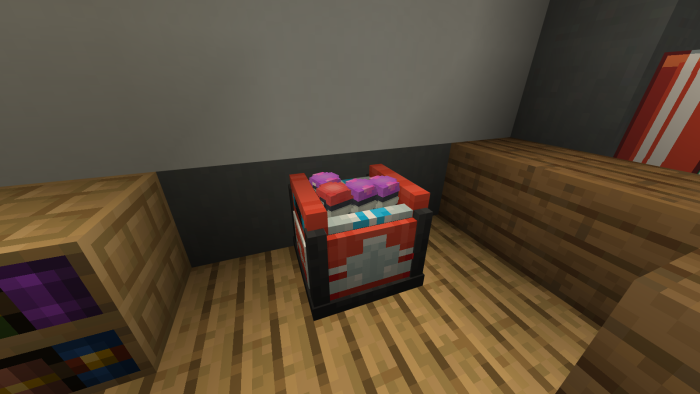
Inside the PokeCenter, interact with the healing machine to restore all your Pokemon to full health. You can also pick up or craft your own healing machine.
Trainers
Trainers are NPCs that spawn around the world. They will challenge you to Pokemon battles and can have up to 6 Pokemon in their party.
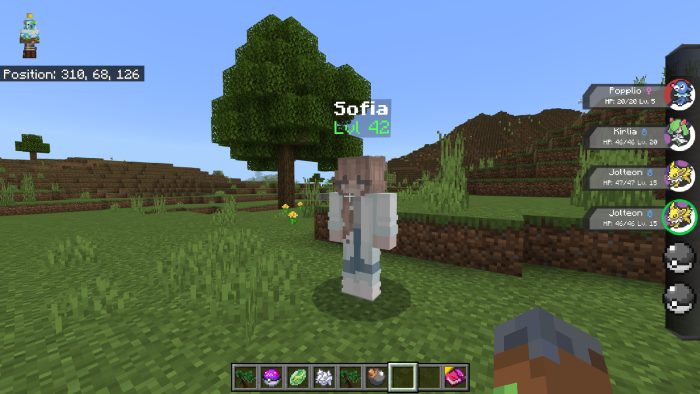
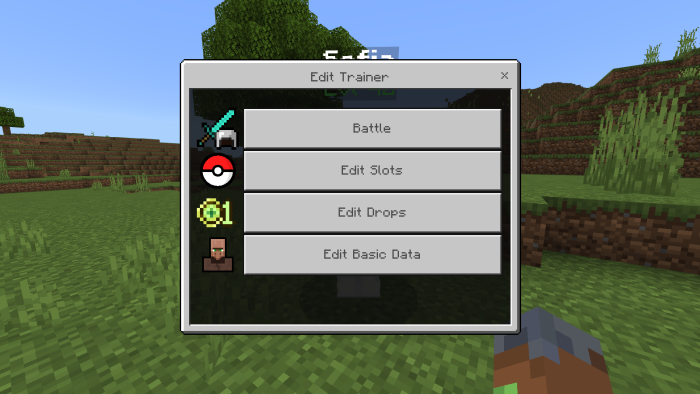
If you are an operator, you can edit trainer data including their Pokemon slots, drops, and other settings. This allows you to create custom gyms and challenging encounters.
Computer (PC)
The PC (Pokemon Computer) is your storage system for all Pokemon beyond your 6-slot party. Access it from PokeCenter structures or craft your own.
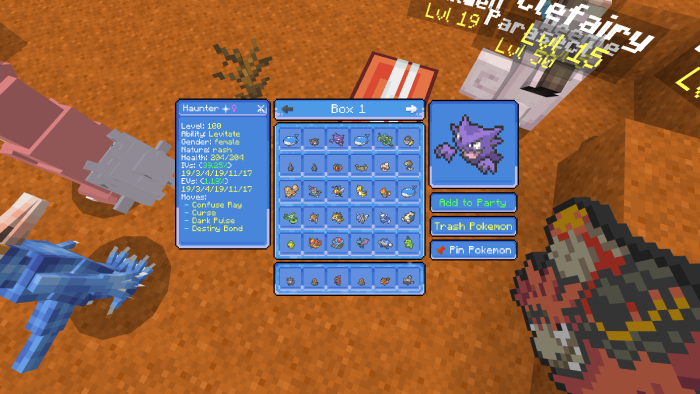
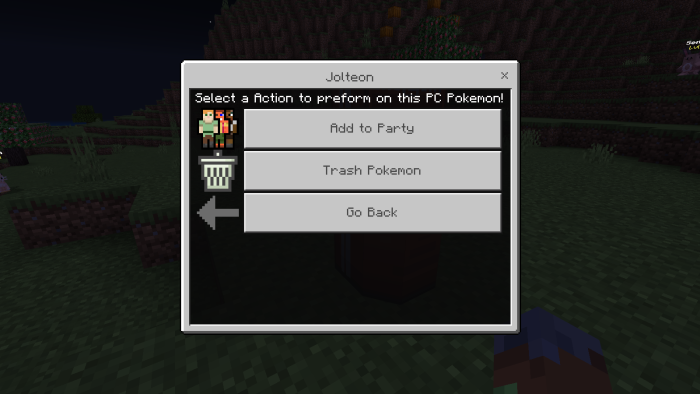
From the PC, you can withdraw Pokemon to your party, deposit Pokemon from your party, or release Pokemon you no longer want.
Custom Armor
PokeBedrock includes custom armor sets crafted from evolution stone materials. Each armor set provides unique effects based on its type.
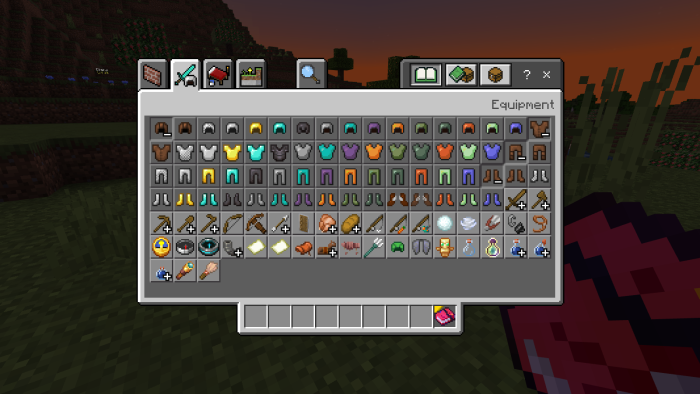
For example, Fire Stone armor provides fire protection, while Water Stone armor grants water breathing. Check the crafting table for all available recipes.
Shrines
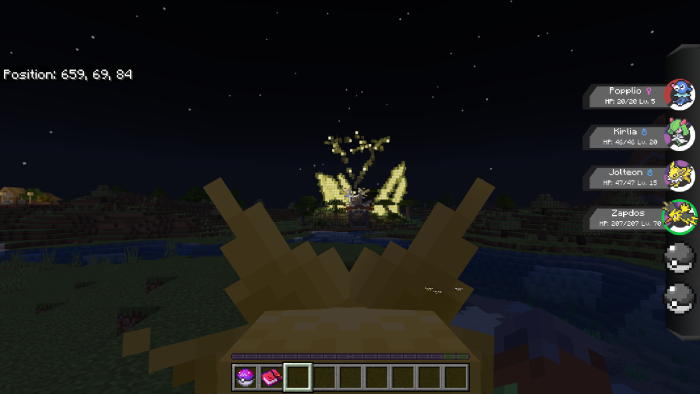
Three types of shrines spawn around the world: Shrine of Fiery Souls, Shrine of Frozen Souls, and Shrine of Static Souls. These are used to summon legendary Pokemon.
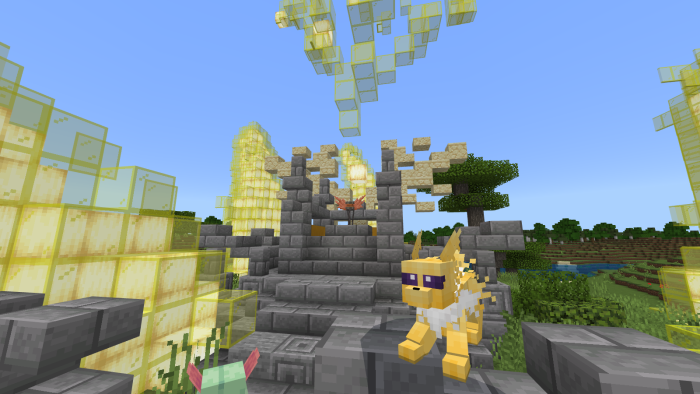
To use a shrine, you need an orb. Orbs are rare drops from certain Pokemon like Dialga, Dragonair, Dragonite, and Giratina. Craft an orb and fill it by defeating Pokemon while holding it in your offhand.
Player vs Player Battles
Challenge other players to Pokemon battles using the chat command. Type -battle "PlayerName" to send a battle request.
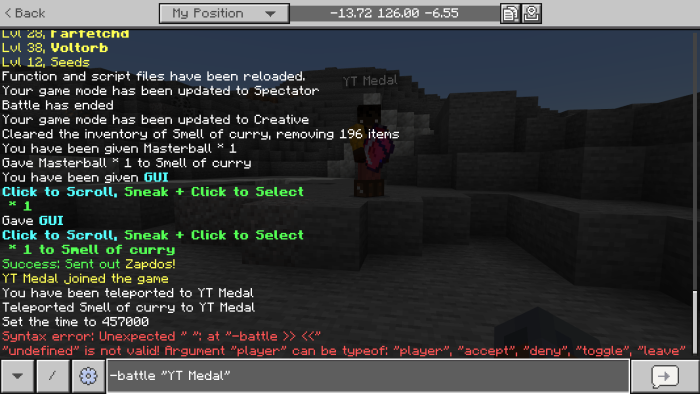
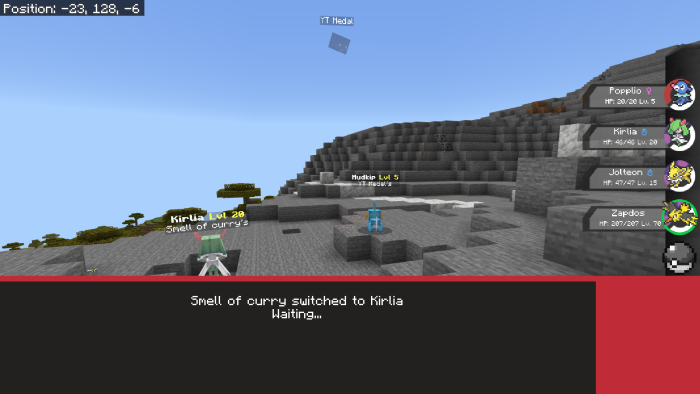
When you receive a battle request, you will see a notification in chat. Type -battle accept to accept the challenge.

Trade Machine
Trade Machines are found in PokeCenters or can be crafted. To initiate a trade, both players must interact with the same Trade Machine.
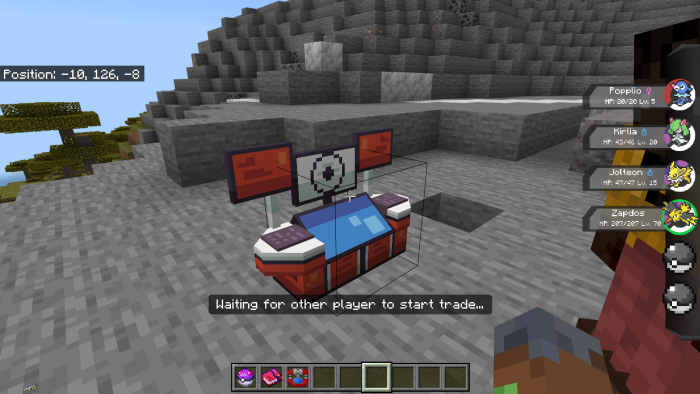
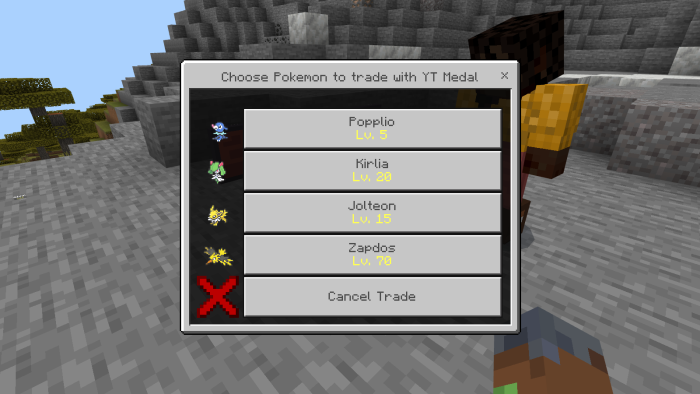
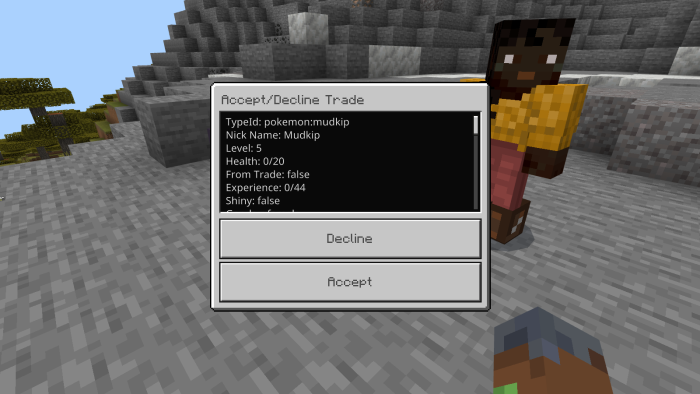
Once both players are connected, each selects a Pokemon to trade. Both parties then review the trade before confirming.
Custom Commands
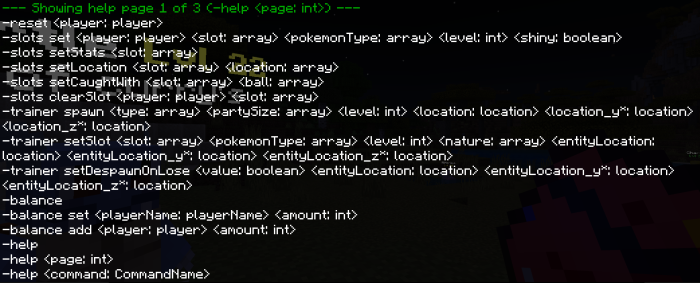
PokeBedrock includes many custom commands to enhance your experience. Type -help in chat to see all available commands.
The -slots command allows operators to modify player Pokemon slots. For example:
-slots set "PlayerName" 1 pokemon:mewtwo 100 trueSets slot 1 to a level 100 shiny Mewtwo

Setup Instructions
Important Notes
- Enable ALL experimental toggles in your world settings for the addon to work properly.
- The addon may not work on low-end devices due to Minecraft's Script API limitations.
- If running on a Realm, execute
/scriptevent pokeb:opto get operator permissions.
Windows Defender Notice
Some users report Windows Defender flagging the addon as a threat. This is a false positive caused by code obfuscation. The addon is completely safe to use.
Ready to Start Your Adventure?
Download PokeBedrock now and experience Pokemon in Minecraft Bedrock. Join our Discord community for updates, support, and to connect with other trainers.